Profile & API key
Your account settings: your API key for programmatic access, your interface language, and the one-click tracker connection for AlterCPA Lite.
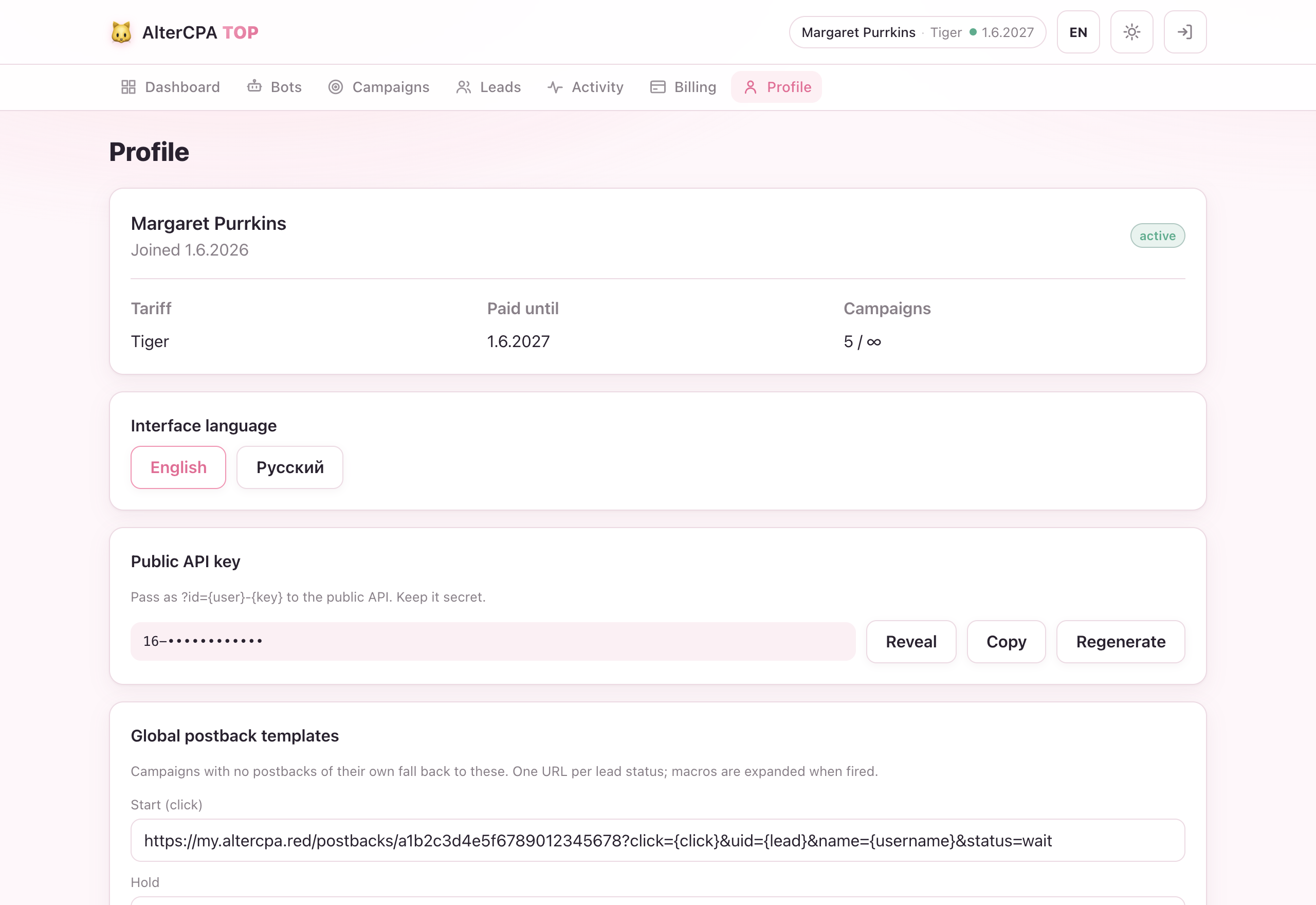
API key
Your API key is a permanent credential that lets you call the User API from scripts, bots, or external tools.
Format: {user_id}-{api_key} — for example 42-xK9mV3qLzPw.
Pass it as a query-string parameter ?id=42-xK9mV3qLzPw on any API request,
or as a Bearer token in the Authorization header.
Regenerating the key
Click Regenerate on the Profile page. The old key is immediately invalidated — any integration using it will stop working. Update all your scripts and tools before regenerating.
Don’t confuse this with the Transfer token. The API key is for API requests; the Transfer token (shown on the Transfer page) is only used to receive transferred bots and campaigns.
Share with tech support
Need someone — AlterCPA support or your own technician — to sign in and help? Instead of handing over your Telegram login, create a one-time login link.
- Click Create login link on the Profile page.
- The link is single-use and expires in 24 hours.
- Anyone who opens it gets full access to your account — bots, campaigns, payments, everything. Never publish it or send it to anyone you don’t trust.
- Generate a New link at any time; only the latest one is valid.
This is the same idea as the bot’s “Open web version” link, but you control who receives it. It is not your API key and not your Transfer token — it’s a temporary sign-in pass.
Interface language
Switch between English and Russian. The choice is saved to your account and applies on all devices. You can also switch from the top bar on any page without going to Profile.
Connect tracker (AlterCPA Lite)
The fastest way to set up postbacks is the one-click wizard for AlterCPA Lite (recommended tracker).
- Click Connect tracker on the Profile page.
- Enter your AlterCPA Lite domain (e.g.
www.altercpa.red) and your API key from the tracker’s Profile page. - We verify the credentials and configure all five global postback templates for you automatically.
Once connected, campaigns that don’t set their own postbacks will automatically use these global templates.
Disconnect removes the tracker connection but keeps your postback templates — they continue to work until you clear them manually.
→ Full guide: AlterCPA Lite integration
Notifications
Control which events the service bot (@altercpatopbot) sends you a Telegram
message about.
Tariff expiry warnings
When enabled (default), you receive a heads-up 3 days and 1 day before your subscription ends, so you have time to renew before campaigns pause.
Payment confirmation is always sent regardless of this setting.
Lead notifications (global switch)
A master toggle for all lead-event messages from your campaigns. Turning it off silences lead notifications across all campaigns at once — useful when you’re temporarily away or testing without distractions.
Individual campaigns control which statuses trigger a message; this setting controls whether they trigger one at all.
→ Per-campaign notification levels are set in the campaign editor.
Global postbacks
The five default postback URL templates — wait, hold, approve, cancel,
trash — can be set once on your profile and reused by all campaigns that
don’t define their own.
Any campaign that sets at least one of its own postback URLs uses its own set entirely; a campaign with none falls back to the global templates. This all-or-nothing rule keeps things predictable.
→ Full explanation: How tracking works