Billing & tariffs
Plans differ by how many active campaigns you can run and by the set of included features — broadcasts, screen funnels, CAS audience protection, and on the team plans the operator CRM with its seats. All paid plans are billed in 30-day cycles and can be paid in USD or RUB.
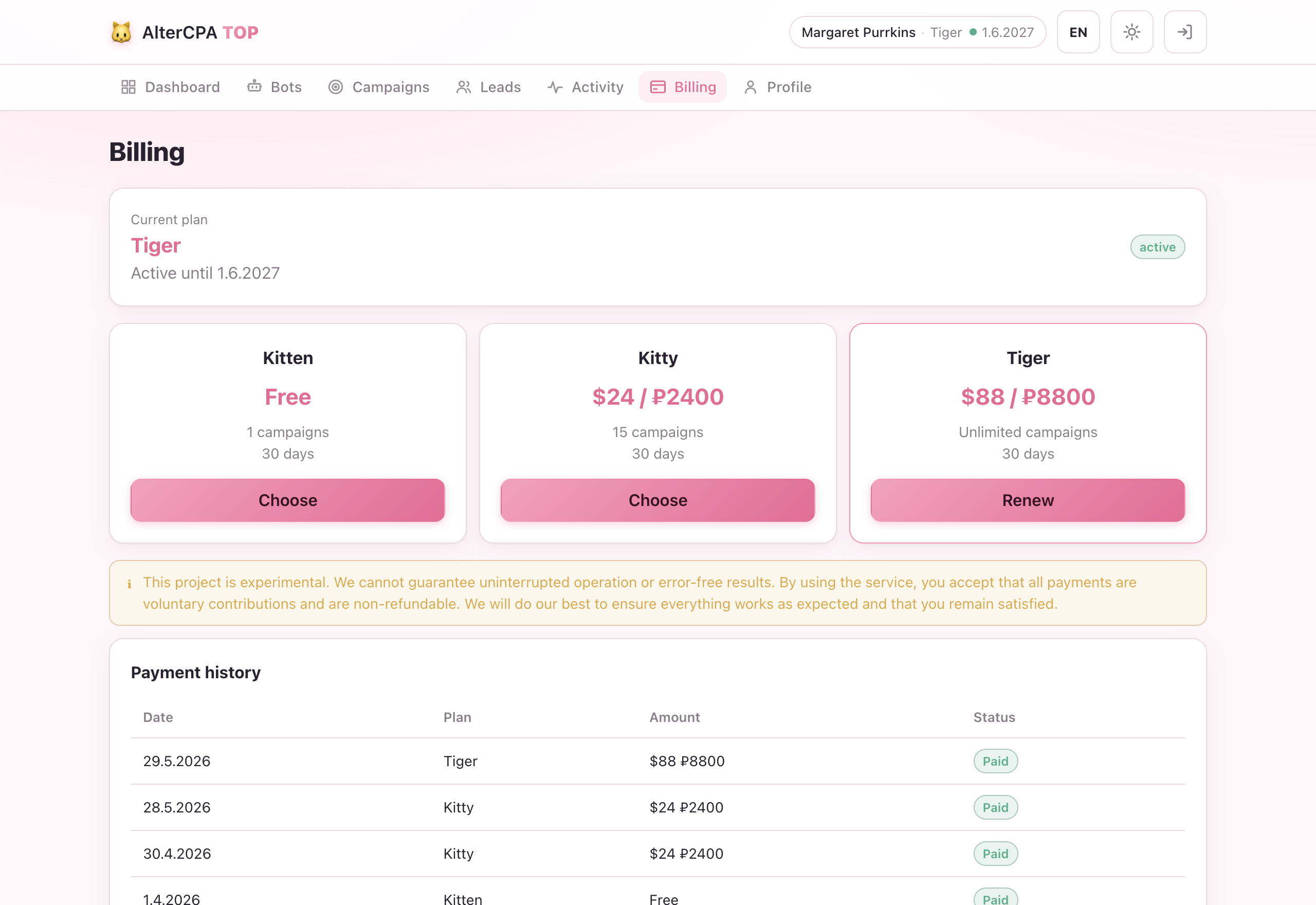
Solo plans
| Plan | Campaigns | Broadcasts | Screens & CAS protection | Price |
|---|---|---|---|---|
| 🐱 Kitten | 1 | — | — | Free |
| 😺 Kitty | 15 | up to 1,350 / day | ✓ | $24 / 2,400 ₽ |
| 🐯 Tiger | Unlimited | up to 13,500 / day | ✓ | $88 / 8,800 ₽ |
The free Kitten plan is available to everyone with no card and never expires on its own: you get full conversion tracking and a single welcome message in the bot. Broadcasts, multi-screen funnels and CAS audience protection unlock on any paid plan.
Team plans with CRM
When a team works the leads, switch on the CRM — a live operator chat on top of the same bot connection you already own. Team plans are billed per operator seat, not per subscriber; campaigns, broadcasts and screen funnels are bundled into every plan, and the CRM switches on per bot.
| Plan | Operators | Campaigns | Broadcasts / day | Price |
|---|---|---|---|---|
| Pride | 3 | 15 | 1,350 | $42 / 4,200 ₽ |
| Cattery | 15 | 100 | 13,500 | $135 / 13,500 ₽ |
| Catlantis | 100 | Unlimited | 135,000 | $451 / 45,100 ₽ |
Learn more about the CRM in the CRM section.
How to pay
- Open Billing and click the plan you want to upgrade to.
- You’re redirected to AffiCat Pay — a checkout page that supports Robokassa, Capitalist, NOWpayments, and gift/promo codes. Pick your preferred payment method.
- Once the payment is confirmed your subscription is extended automatically and you’re returned to the dashboard.
Payment confirmation arrives via two independent paths (a server-side postback from AffiCat Pay and a pull check when you return), so the extension happens even if your browser closes mid-flow.
Renewals stack
Paying for a new period of the same plan extends it from your current expiry, not from today. If you have 10 days left and pay again, you’ll have 40 days afterwards. Pay early without losing time.
When you switch plans the leftover isn’t added day-for-day — it’s re-valued in money: your remaining days are converted to cash and put toward the new period. So an upgrade buys slightly fewer days and a downgrade slightly more; nothing is lost.
The free Kitten plan doesn’t stack. Activating it always sets your expiry to today + 30 days, replacing whatever window you had. To prevent losing a paid plan accidentally, activating the free plan is refused while a paid plan still has more than 5 days remaining.
Campaign limits
The limit is checked when you create a campaign. If you’re over the limit (because you downgraded), you just can’t create new ones — your existing campaigns keep running and are never auto-paused due to a plan change. Delete or pause a campaign, or upgrade, to free a slot.
What happens when your plan expires
Expiry warnings arrive 3 days and 1 day before the end via @altercpatopbot. After that:
| When | What happens |
|---|---|
| At expiry | Dashboard access is cut immediately; the public API keeps working for 7 more days. |
| 7 days later | The API returns unpaid (HTTP 402); your active campaigns and bots are put to sleep (not deleted, and not the same as a pause you set yourself). |
When you renew, the slept bots and campaigns are resumed automatically (bots first, then campaigns) within a minute — you don’t re-enable them by hand. Campaigns you paused yourself stay paused: those you restart manually whenever you like.
A lapsed account can always re-activate the free Kitten plan to keep a single campaign running at no cost.
Payment history
The Billing page lists all your past payments with their status, amount, and the plan they covered. Receipts are not issued (payment is handled by AffiCat Pay on their end).